
Keeping High Level of Professionalism Even at Home

Keeping High Level of Professionalism Even at Home

Companies doubt the productivity of remote workers for they feel uncertain that they could be as reliable as they are in the office than in their homes. For them, tons of distractions can be found, which may affect one’s attention to his or her tasks.

As a virtual assistant, one must prove that the denoted matter should not be anticipated to all remote workers. Indeed, it is much easier working from home, not to mention the level of comfort you can attain is unsurmountable. Basically, it is about the mentality of the employee that determines whether he or she would keep his or her comfort a hindrance in sustaining professionalism.

There are many ways of keeping professionalism anywhere you may be, such as the following:

Setting boundaries. As a virtual assistant, one must set boundaries starting from time management. If you have a specific schedule to follow when working, you must not let personal appointments or matters affect it. 

If you work from 9 to 5, let it be blocked in your calendar for the day. Make sure not to set meals, hangouts, or even calls that are not related to your work. 

To make it much easier, isolate yourself in your home office or workspace during those times. If you have family around during your shift, you may kindly remind them not to call on you while working.

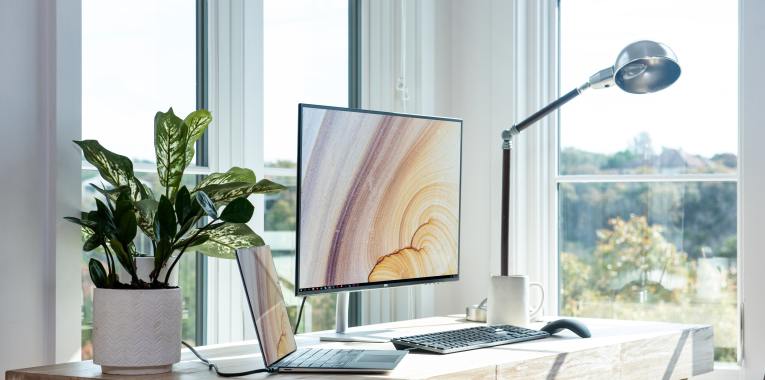
Making a home space a workplace replica. The environment affects how you perceive your situation. If you want to make yourself more motivated to do your tasks, regardless of your location, create an office space that would house all your work-related things.

If you could separate a room for your work alone where your office desk, internet, and telephone could be set up, it would be more effective. It may not be helpful if your bed is reachable whenever you work. This could disrupt the workplace ambience you are trying to achieve. 

This could be helpful, as well, if you often attend video conferences. With a background that shows your workspace instead of a home itself, you would appear more professional to people at the other end of the line.

Guaranteeing better prevention of late reporting and absence. You would be more trusted as a remote worker if you show that being at home is actually a perquisite to your employer in terms of your tardiness and attendance.

With your home office a few steps away, you would have no reason to clock in late. Furthermore, with more time to your loved ones, you would have no ground to be out of office frequently. You could attend to their needs easily as travelling to and from work would no longer be part of your schedule, adding time for your family.

Additionally, if you work at a different time zone, you would have more free time to take care of errands and attend other appointments without conflict to your work schedule.

Should there be an instance of travelling, as long as you have your necessary equipment, you could still work. This also implies that absence would not be an option, as long as you have the resources with you.

Giving more importance to communication. Given the fact you will be more dependent on messaging platforms as you work from home, you would value effective communication more. Keep in mind that communication is the foundation of remote job.

Without establishing seamless communication between you and your employer, you would not be able to attain the input you require for every task. This could result to your poor productivity, ending with your negatively impacted work performance.

To keep one’s professionalism, a virtual assistant should always be attentive to the updates of his or her employer through e-mails, messages, or even calls. Responsiveness is also an important factor. If you do not remain receptive, you will not be able to coordinate your activities well, resulting in poor output and work performance. 

Aiming big. No matter where you are, as a remote worker, your professionalism would remain intact if you do not let go of aspiring to be a better version of yourself. This would actually reflect on your work.

If you fix your mind into growing as you learn more about your job, you would be more motivated to provide better output. Also, you will be more engaged in every activity you carry out, either individually or in teams. 

Working from home is not equal to stagnancy. Even at home, you could be better. You could learn more skills and gain more achievements. As mentioned earlier, with the resources available, there is nothing you cannot accomplish at work.

The aforementioned ways of keeping professionalism regardless of being at home show that remote workers have the same potential as the ones situated in the office. With a established mindset to be a valuable contractor or employee, anyone could make big leaps.

Time Management Make Your Day at Work Much Better

Time Management: Make Your Day at Work Much Better

Remote workers failing to meet deadlines are most probably practicing poor time management. Yes, it is particularly comfortable working from home, but it also implies that there would be more factors that could hinder proper time allocation for work. You could start with the distractions, which would keep one from focusing on his or her job – the internet, television, house chores, unexpected guests, etc.

However, it is not an excuse for you to perform ineffectively at work simply because you are based remotely and you cannot keep yourself from being caught by home-related disruptions. There are various easy ways to ensure the time dedicated for your job would not be impacted negatively. Remember, despite being in your comfort zone, professionalism should remain intact. This is not for your employer alone, but your reputation as a remote worker or virtual assistant.

To begin with the ways you may follow to ensure your day at work is much better, here are some time management tips to keep in mind:

Identify most time-consuming activities during your day. These activities are the ones that would most likely keep you from spending sufficient time at work. Once you have found out these time wasters, you could already manage yourself better. Let us say you identified social media browsing as your major time waster, then while reporting, you should keep your accounts logged off. Though you may still sign in your accounts to kill time, once again, but being offline could be a start of disciplinary measure. It could keep you from constant notifications luring you into another time wastage.

Set a time for each task at work. Time would never adjust for you. Hence, what you need to do is manage yourself. Put restrictions to yourself while at work. You can do this for every task you will carry out. For instance, you need to accomplish a report for the month worth of sales. Set a couple of hours for it at a specific schedule, say, 10:00 A.M. to 12:00 P.M. Within those hours, you would only focus on the said sales report without succumbing to calls, texts, or e-mails.

Know what to prioritize. You have to consider the relation between your energy levels and how effective you can manage your time. Be reminded that at the start of your work, it is when you are most active. Hence, it is best to carry out the biggest and most important activities at the onset of your shift. This would also guarantee that you would not be compromising the quality of your output given you can pour out all of your resources to the said tasks.

Keep in mind that multitasking is not always the solution. If you think you are accomplishing more by multitasking, then probably, you are wrong. A study done by David Strayer, Ph.D., University of Utah’s Director of Applied Cognition Laboratory, stated that 98 percent of people cannot multitask. It is not a surprise if you are part of the said percentage. Take note that this study is not based on observation alone, but in accordance to what Strayer found out in the brain region structure of multitaskers and the contrary.

Take a break. For certain, this is a surprise for some, since they may think that having a respite would require time. However, your mind and body also require rest. Human beings will never be machines and can only focus for 90 minutes before needing rest. This has been discovered by Nathaniel Kleitman and was named ultradian rhythm by other researchers. How would you know a break is necessary? There are signals, which include concentration loss, drowsiness, and hunger among others. Without break, you would not be able to function more effectively and even think clearly.

With the aforementioned tips, you can already begin your journey to better work days. Conclusively, it is more about managing yourself instead of chasing time. It is simply discipline to achieve your goal daily. With the changing setting of workplaces due to the pandemic, you should be more motivated to shape yourself into becoming a professional remote worker regardless of your location – either office or home.

Remote Work The Future of Workplace as Shaped by the Pandemic

Remote Work: The Future of Workplace as Shaped by the Pandemic

Pain. Struggle. Anxiety. Depression. Uncertainty. These are the words that could top the list of adjectives for what happened in 2020. No one anticipated the vastness of the COVID-19’s effect on the world and not just on a small community. At first, it was taken for granted, mocked even. People were dubious of the fact that there could be a virus, which is unseen by the naked eye, that could stop the world. Unfortunately, whatever doubts there are, all were mistaken. COVID-19 became a part of the history of mankind as one of the most destructive viruses in the world.

The virus did not simply detriment the health of the people, but even their livelihood. With the onset of the killer virus, lockdowns were implemented, which resulted in the unexpected and unfortunate closure of most companies in the world. The businesses that you thought to be highly lucrative and impregnable for years to come suffered unimaginable losses.

The jobs of the society being the focal point, you can clearly see that companies were not prepared for what took place. They have seen how they failed to create a shell for their businesses to keep further losses at bay. Most importantly, entrepreneurs realized and regretted the fact they could have at least saved more only if they have welcomed the idea of remote staffing. Nonetheless, this is no longer the time to keep on pressing the issue. This is the moment to open the possibility of welcoming home-based workers.

If you believe that your business would not operate effectively with virtual assistants or remote staff, then what occurred during the pandemic may convince you. Companies were able to continue their operations by deciding to set up remote workplaces for their people. Indeed, it is undeniable that cutting manpower has been far-flung. However, one cannot refute the fact that businesses managed to salvage their work by keeping their core employees functioning despite being at home.

From the given reality, you can see that establishing a team of remote workers could be your future defense. By simply setting up communication means and applications for your people to use, everything could be done as usual as it had been.

For instance, you are a restaurant owner, you could keep things in order by having your administrative work handled by your employees remotely while keeping just the right number of people in your physical store. This may be a partial setup, but still a good preparation for the possible extension of this “social distancing community.” On the other hand, if you have an accounting firm, then you should know that all of your functions in the business could be done from home. If everything has been all paper in your company, do not fret, for there are various software applications that could convert your company into a paperless one. The process may be tedious, but it is worth it.

It is not yet late to prepare your company for what is coming, and it is incontestable that the future is remote work. Do not let another unforeseen damaging force ruin your livelihood. Start making a change; a change that will not simply protect you and your people, but keep you in pace with what the world demands.

Desktop vs Laptop: Find Out Which One Is Best for Your Remote Work

Every one of us has different perceptions when it comes to working from home or doing remote work. Would it be wise to spend a lot to establish a work from home setup? Would your workstation be one that can be carried wherever and whenever you go? Would your PC be one that is based on performance over quality? To put it simply, for most of us, the question always stems out of whether to buy a desktop or a laptop.

To help you decide, given below are criteria to take into consideration when setting up your home office, which will also differentiate a desktop from a laptop consequently:

Budget-friendliness. A desktop’s price comes in as cheaper option compared to that of a laptop. Laptops cost more to manufacture, produce, and incorporate. Simply imagine the already medium-sized computer parts being assembled into an even smaller and more compact portable device.

Portability. The very design of a laptop screams and oozes portability. On the other hand, desktop can also be moved from one place to another (apparently requiring your cardio and strength conditioning), but is generally designed to be in one location. If you are a digital nomad, it is undeniable that you would opt for a laptop. In contrary, being a stay-at-home freelancer may make desktop more suitable for you.

Upgradability. Normally, laptops are boxed components that are not 100% upgradable. You are fortunate if you could upgrade both the storage and its random-access memory (RAM). But then, desktop components can be upgraded if so pleased and can go with the flow of the ever-moving technological advancements.  If you know how to tinker with a desktop, you can technically change all its components.

Power Consumption. A desktop needs more power to operate as its unit and monitor display need separate power supplies. Alternatively, a laptop, which has an independent power in a form of a battery pack, can go hours without being plugged into a power source. Power fluctuations will render the desktop vulnerable as unsaved work will be lost.

Performance and Repair. Due to the nature of a laptop being a minimized version of a desktop, the desktop processors tend to be more powerful than that of a laptop. Although there is no science to explain it, laptops tend to slow down over time compared to a desktop. Also, laptops have a limited space in its bezel, so adding another internal drive is not possible. However, one can completely replace the internal drive with one that has more storage. Laptops are also difficult to open if it needs servicing compared to a desktop that has its components easily accessible.

Bear in mind that the given points are simply guidelines. Every remote worker has his or her own preference in terms of budget, convenience, efficiency, and maintenance relative to their workstation. Make a decision by considering your current situation, what you mostly need with your remote work, and the future issues that you may encounter regardless of the unit you decide to buy.

Keep Your PC From Slowing Down With Simple Steps

Keep Your PC From Slowing Down With Simple Steps

Slow and steady wins the race — an old phrase that we have all been accustomed to, but in this age, regrettably, a slow and steady PC may cost you the race. Operating with a slow PC is not only frustrating but also wastes valuable time in handling a task. It may come gradually or all of a sudden, neither of which is pleasant to be in.

In the virtual assistant or remote work industry, efficient work means quick execution of activities without compromising output quality. However, how can you achieve this without a workspace that makes it possible?

It is not about having a poor set of PC specifications all the time. There are cases that other factors also lead to the slow performance of your computer.

Fortunately, there are simple tweaks that can help boost PC performance even on the slowest of computers. Here are some helpful system performance issue-based tips to consider:

Check if you have more juice in your computer. One possible reason for your PC slowdown is that you just do not have enough Random-Access Memory (RAM). RAM is the temporary storage for your laptop or PC. Specifically, it keeps all the things your computer needs on standby and when the time comes, it quickly pulls the information and hands it over to your processor.

The ideal RAM for tasks are as follows:

  • 2-4GB of RAM for basic tasks like word processing and surfing the web
  • 8-16GB for multi-tasking or graphics-intensive programs

While adding more RAM will not always speed up your laptop, you do need to have more than the minimum amount of RAM for certain programs to run properly. To find out how much RAM you have:

  1. Go to search icon or click the magnifying glass icon in the bottom-left corner of your screen.
  2. Type About in the search bar.
  3. Click Open. You will then see how much RAM you have under Device specifications, next to Installed RAM.

Disable startup programs. If your PC is taking a long time to boot up, you may have too many programs that are eating up your RAM and starting up when you turn on your PC.

To fix this issue, simply follow these steps:

  1. Right-click on the Start button.
  2. Click Task Manager
  3. Select the Startup tab.
  4. Arrange the list of programs by Startup impact, if you’d like to see the programs that are taking up the most time.
  5. If you see a program that doesn’t need to be there, right-click it and click Disable.

Disable Windows tips and tricks. Odds are, you already know what you are doing and do not need a machine to tell you how to operate your PC. These Windows 10 tips scan your computer to function, and this process has an impact on performance.

To turn off these tips:

  1. Go to Start.
  2. Select Settings.
  3. Click System.
  4. Select Notifications & actions.
  5. Toggle off Get tips, tricks and suggestions.

Defragment your hard disk. Over time, when you keep saving and deleting files on your computer, it becomes fragmented. This results in your computer needing to check in multiple places for the pieces. Hence, it can run more slowly. The term defragment basically means putting those files back together so your system can run more efficiently. To carry out a defragment:

  1. Type defrag into the search box and press Enter.
  2. From the screen that appears, select the drive you want to defragment.
  3. Click the Optimize button to defragment it.
  4. If you want to have your disk or disks defragmented automatically, click the Change settings button, then check the box next to Run on a schedule.
  5. Select the frequency at which you want the disk(s) defragmented by clicking the drop-down next to frequency, and choose from daily, weekly or monthly, where weekly is recommended. Note: You only need to do this if your computer uses a traditional mechanical Hard Disk Drive (HDD). A Solid-State Drive (SSD) works another way from an HDD, and there is no need for defragmentation.

Try these simple and helpful tips to avoid frequent slow PC performance. The given pointers do not require too much time nor less penny from your pocket. Simply follow them and you will no longer have to worry about delaying your work every time the rush hour arrives. Remember, no matter how skillful you are, a slow outturn could lead to a poor impression for your employer or client.